Documents and tasks
How writes work
Every document write is asynchronous. The API checks the batch, stores it and answers 202 with a task id. A worker then writes the documents to the index. Poll the task to learn when the documents are searchable and which ones failed.
{ "taskId": "0b9f7c1e-3a52-4f7e-9d0b-6a1c2e4d8f10" }
Use upserts and deletes for day-to-day changes: a price, a stock level, a new product. To send the whole catalog and drop everything you did not send, use a full catalog sync instead.
Upsert documents
The body is a bare JSON array of documents, not an object around one. Every document has an id string of 1 to 512 bytes. A document with an id the index already holds replaces that document as a whole. Fields you leave out are gone from it afterwards, so always send the complete document.
Open the index, then Documents, and drop a .json file on Upload documents. See upload a file in the cabinet.
curl -X POST https://api.zaproo-search.com/v1/projects/$PROJECT_ID/indices/$INDEX_ID/documents \
  -H "Authorization: Bearer $ZS_KEY" -H "Content-Type: application/json" \
  -H "Idempotency-Key: catalog-2026-10-16-batch-1" \
  -d '[
    {"id": "tv-1", "title": "55 inch OLED TV", "brand": "Samsung", "price": 899, "attributes": {"color": "black"}},
    {"id": "tv-2", "title": "50 inch LED TV", "brand": "LG", "price": 449, "attributes": {"color": "silver"}}
  ]'
Upload the documents in ./catalog.json to the products index and tell me when the task is done.
The agent calls index_documents with up to 1000 documents per call, then get_task.
/v1/projects/:projectId/indices/:indexId/documentsProject admin or a full-access secret keyBefore it creates the task, the API checks every document against the mapping. If any document has a value of the wrong type or the same id appears twice in the batch, the whole batch is refused with 400 INVALID_DOCUMENTS. Nothing is written. details lists up to 20 problems, each with docId, path and message. Fix them and send the batch again.
Fields the mapping does not list are accepted and stored, but search ignores them. They show up as unmapped fields.
Limits
- Up to 1000 documents per request.
- Up to 10 MB of JSON per request. A larger body answers
413 PAYLOAD_TOO_LARGE. - A document
idis 1 to 512 bytes.
To send more, split the catalog into batches and send them one after another. Each batch is its own task.
Delete documents
The body is a bare JSON array of up to 1000 document ids. An id the index does not hold is not an error. Duplicate ids are counted once.
POST/v1/projects/:projectId/indices/:indexId/documents/deleteProject admin or a full-access secret keycurl -X POST https://api.zaproo-search.com/v1/projects/$PROJECT_ID/indices/$INDEX_ID/documents/delete \
-H "Authorization: Bearer $ZS_KEY" -H "Content-Type: application/json" \
-d '["tv-1", "tv-2"]'
In the cabinet, tick documents in the Documents table and click Delete selected. Over MCP, the tool is delete_documents.
Delete all documents
A flush deletes every document of the index at once, to start its data over after a bad import, test data or a catalogue switch. It cannot be undone.
POST/v1/projects/:projectId/indices/:indexId/documents/flushProject admin or a full-access secret keycurl -X POST https://api.zaproo-search.com/v1/projects/$PROJECT_ID/indices/$INDEX_ID/documents/flush \
-H "Authorization: Bearer $ZS_KEY"
{ "taskId": "5c2d1f0a-7e43-4b8e-a1d9-3f6b2c8e0d47", "previousDocCount": 1200 }
The answer is 202 with a DOCS_FLUSH task. previousDocCount is the number of documents the index held. When the task is SUCCEEDED:
- Every physical version of the index is deleted, the one search served included. The index serves a new, empty version built from the saved mapping, so it is
READY(a pendingNEEDS_REINDEXis resolved) anddocCountis 0. - Search answers
200with no hits. Autocomplete stops suggesting values of the deleted documents once its suggestions are rebuilt, which the flush starts. Custom suggestions and popular searches stay. - The mapping, facets, search profiles, rules, synonyms, autocomplete settings, data source, analytics and API keys stay.
- The documents quota on the Billing page follows at its next count.
What was in flight when the flush was accepted:
- Uploads and deletes still
QUEUEDareCANCELLED. A write already running finishes first, and what it wrote is deleted too. - An open replace session is aborted and a running reindex is cancelled.
- Uploads sent after the flush land in the new version, even while the task runs.
- An enabled data source fills the index again at its next sync. Disable it first to keep the index empty.
A second flush while one is queued or running answers the same task. Cancelling a reindex while a flush runs answers 409 FLUSH_RUNNING. If the saved mapping would break a profile, rule, facet, autocomplete field or data source, the flush is refused with 409 MAPPING_BREAKS_CONFIG and nothing is stopped, as for a reindex.
In the cabinet, open Documents, click Delete all documents in the Danger zone and type the index name to confirm. The page shows the task until it ends. Owners and admins can flush; members see the button disabled. Over MCP, the tool is flush_documents.
Retry safely with Idempotency-Key
A network error leaves you unsure whether the API received a batch. Send an Idempotency-Key header with every write, up to 200 characters, and retry with the same key.
- The same key within 24 hours returns the task of the first request. No second task is created, even if the body changed.
- Keys are unique per project. The same key for another index, another replace session or another operation answers
409 IDEMPOTENCY_KEY_REUSED. - After 24 hours the key can be used again.
Build the key from what makes the batch unique, for example your export run and the batch number. The cabinet upload does this with a hash of the file and the batch position, so uploading the same file twice does not write it twice.
Write order and superseded documents
Each task gets a sequence number, seq, when the API accepts it. The worker writes every document with seq as its version, and the index never replaces a document with an older version. When two tasks change the same document, the one accepted last wins, whichever finishes first.
A write that finds a newer version already stored is counted as superseded. It counts as success: the newer data is already there. You see superseded documents when an older task was retried after a newer one, or when two of your processes send the same product.
Follow a task
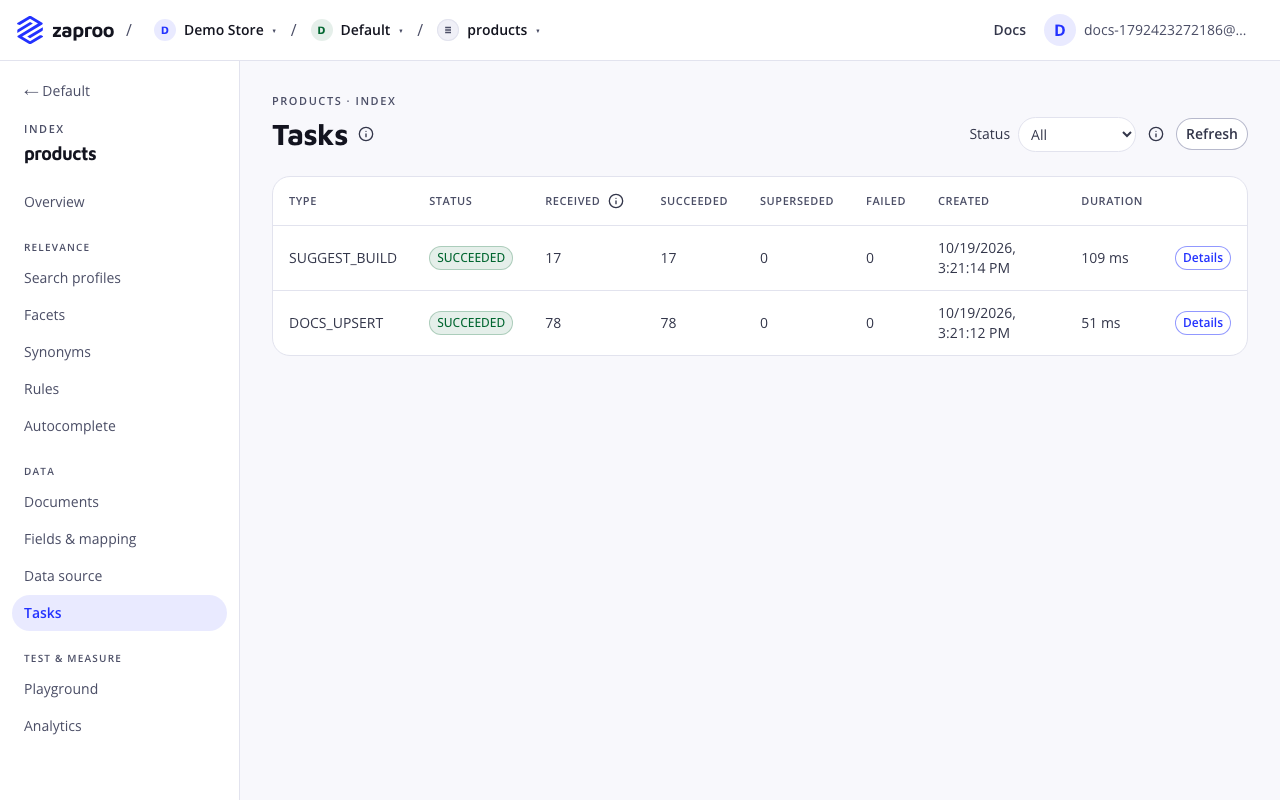
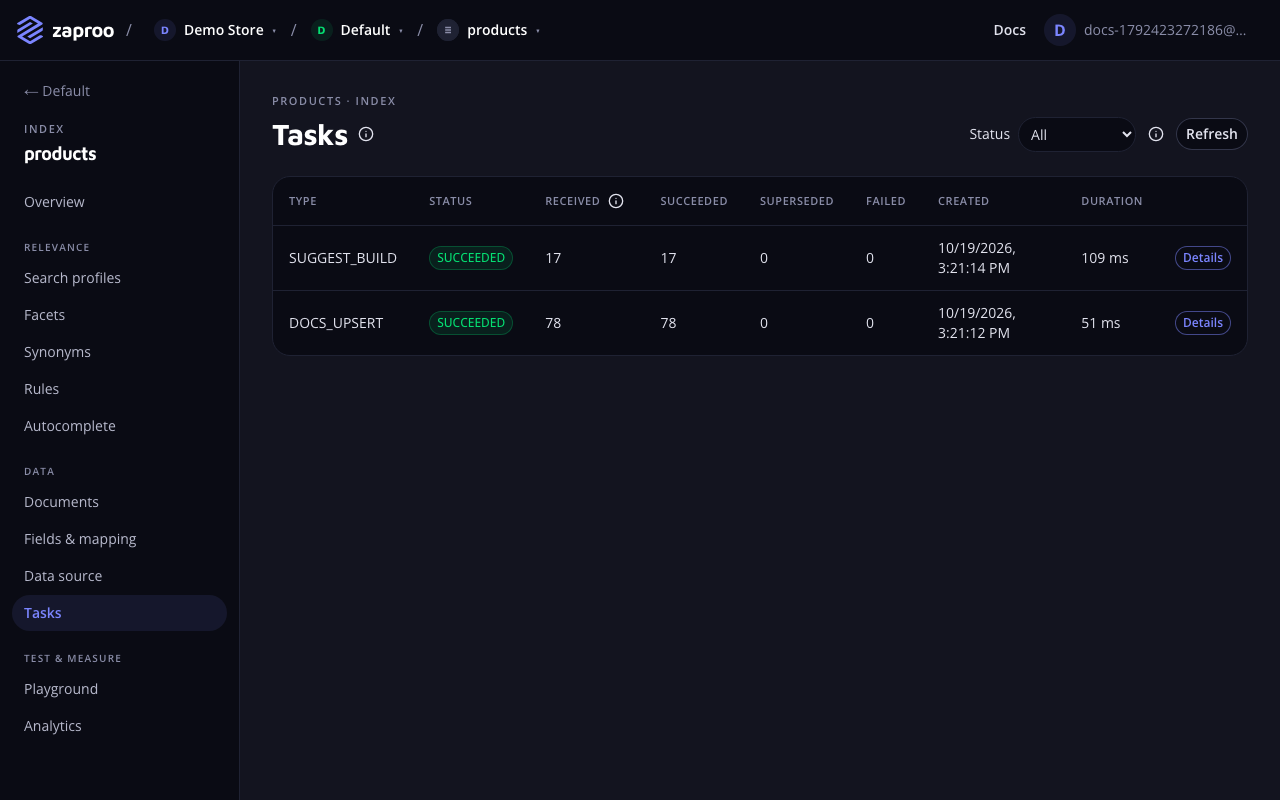 Every write is a task with its own counts
/v1/projects/:projectId/tasks/:taskIdProject member or any secret keyGET/v1/projects/:projectId/tasksProject member or any secret keycurl https://api.zaproo-search.com/v1/projects/$PROJECT_ID/tasks/$TASK_ID \
-H "Authorization: Bearer $ZS_KEY"
{
  "id": "0b9f7c1e-3a52-4f7e-9d0b-6a1c2e4d8f10",
  "type": "DOCS_UPSERT",
  "status": "PARTIAL",
  "seq": 1042,
  "attempts": 1,
  "counts": { "received": 2, "succeeded": 1, "superseded": 0, "failed": 1 },
  "errors": [{ "docId": "tv-2", "type": "mapper_parsing_exception", "reason": "failed to parse field [price]" }],
  "idempotencyKey": "catalog-2026-10-16-batch-1",
  "sessionId": null,
  "createdAt": "2026-10-16T09:30:00.000Z",
  "startedAt": "2026-10-16T09:30:00.120Z",
  "finishedAt": "2026-10-16T09:30:00.480Z"
}
Poll every second or two until the status is one of SUCCEEDED, PARTIAL, FAILED or CANCELLED. Documents are searchable once their task reaches SUCCEEDED or PARTIAL, and the index's docCount includes them by then.
The list returns the project's tasks newest first. Filter with indexId and status. limit is 1 to 100 (default 50). Pass nextCursor from the previous page as cursor to get the next page.
In the cabinet, open the index and then Tasks. The table shows each task's type, status and counts. Details opens the errors.
Task status
| Status | Meaning |
|---|---|
QUEUED | Accepted, waiting for a worker. A task that hit a temporary error waits here before its next attempt. |
RUNNING | A worker is writing it. |
SUCCEEDED | Every document was written or superseded. |
PARTIAL | Some documents failed. errors names them. |
FAILED | Every document failed, or the task failed as a whole. |
CANCELLED | The index was deleted or flushed, or the reindex or replace session the task belonged to was cancelled, aborted or expired. |
Document tasks are tried up to 5 times, with a growing pause, when the search cluster is busy or unreachable. attempts counts the tries. A document the cluster rejects for its content is not retried: it lands in errors and the task ends PARTIAL or FAILED.
Task types
| Type | Created by |
|---|---|
DOCS_UPSERT | An upsert |
DOCS_DELETE | A delete |
SESSION_BATCH | A batch sent to a replace session |
SESSION_COMMIT | A replace session commit |
REINDEX | A reindex |
SUGGEST_BUILD | A rebuild of the autocomplete suggestions |
DOCS_FLUSH | A flush of every document |
Counts and errors
received: documents in the batch. For a reindex, the documents to copy. For a flush, the documents the index held.succeeded: documents written.superseded: documents skipped because a newer version was already stored.failed: documents the cluster rejected.
errors holds up to 1000 entries, each with docId, type and reason. docId is null for an error that failed the whole task.
Browse documents
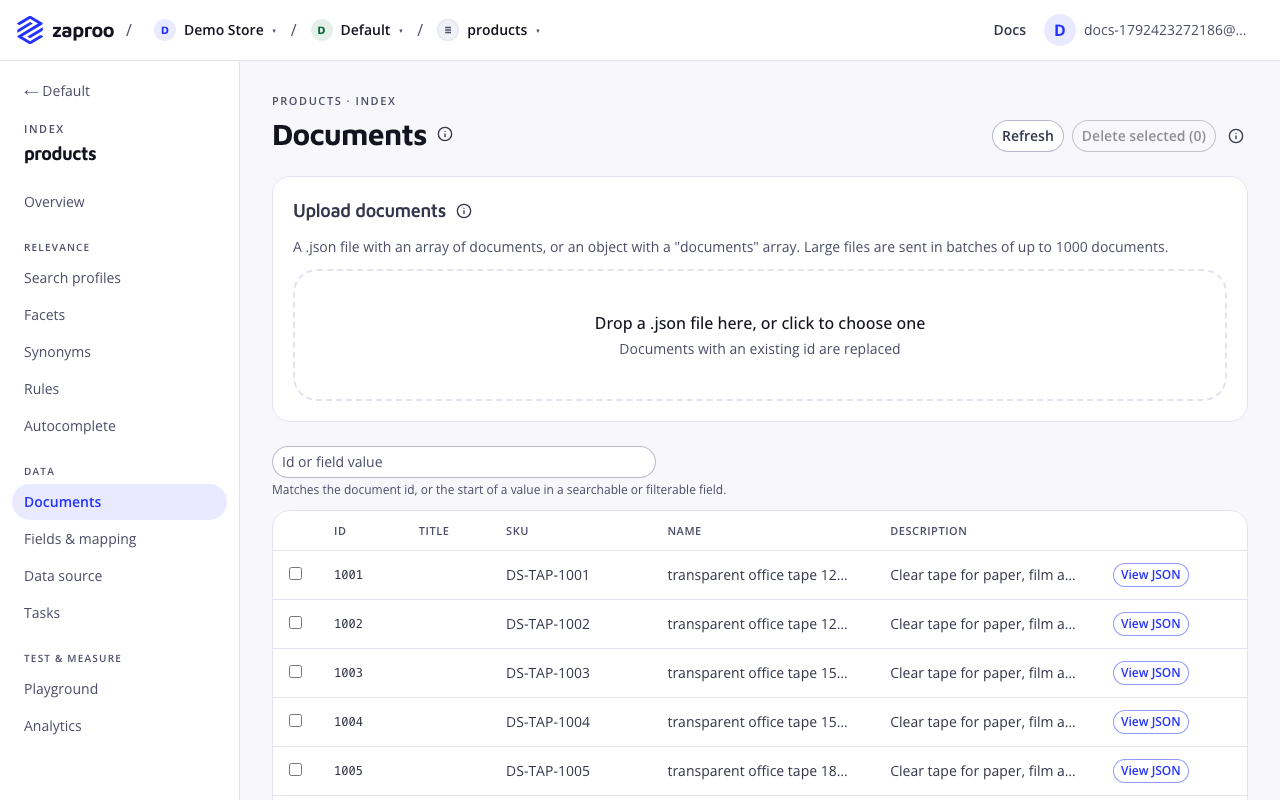
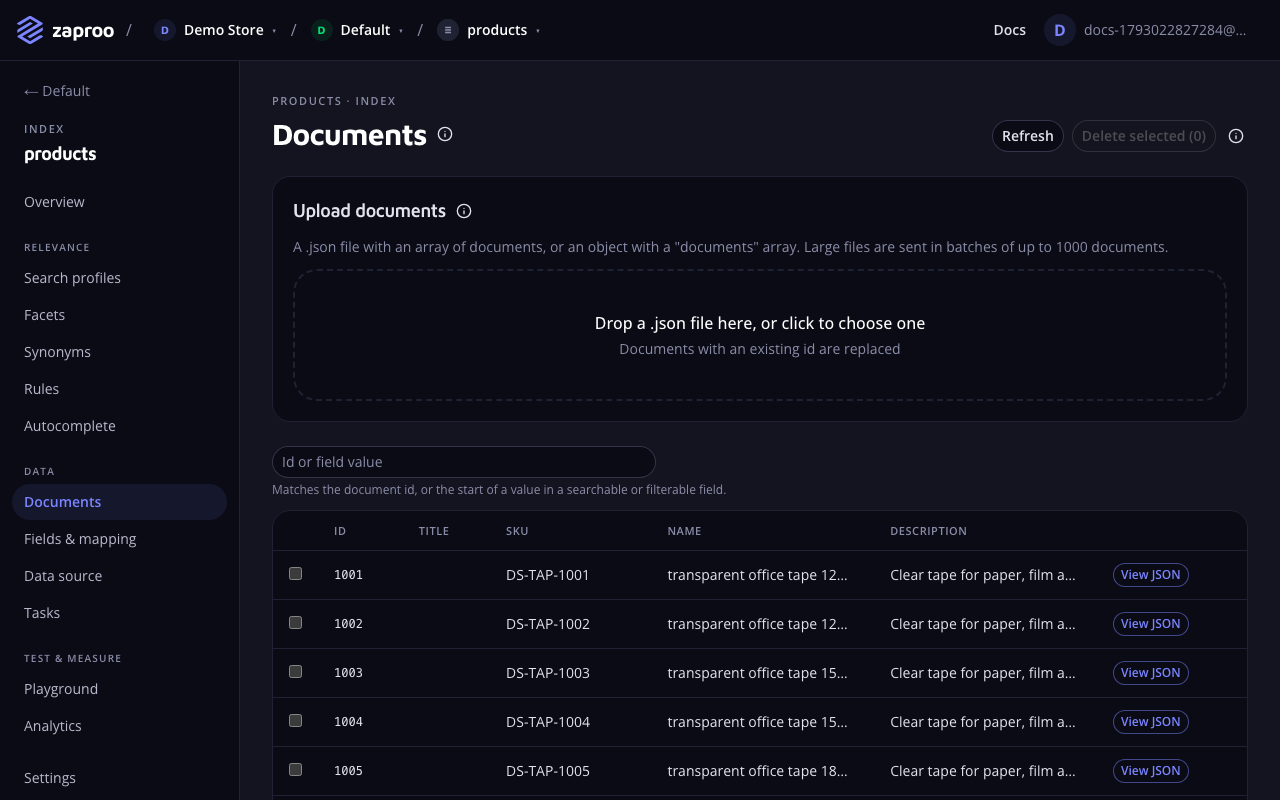 Browse, upload and delete documents
/v1/projects/:projectId/indices/:indexId/documentsProject member or any secret keyGET/v1/projects/:projectId/indices/:indexId/documents/:docIdProject member or any secret keyThe list returns documents ordered by id, as search sees them. limit is 1 to 100 (default 20). Pass nextCursor as cursor for the next page. q matches a document id exactly, or the start of a value in any indexed field. One document by id answers 404 DOCUMENT_NOT_FOUND when the index does not hold it. Over MCP, the tool is get_document.
The cabinet's Documents page shows the same list with a search box. View JSON shows the stored document, unmapped fields included.
Upload a file in the cabinet
On Documents, drop a .json file on Upload documents or click to pick one. The file holds a JSON array of documents, or an object with a documents array. The cabinet splits it into batches of up to 1000 documents and 10 MB, sends them one after another and shows each batch's task as it runs.
- A batch the API refuses shows its error code and the documents at fault. The other batches still go through.
- Each batch carries an Idempotency-Key made from the file's content and the batch number. After a failure, upload the same file again: batches already accepted in the last 24 hours are not written twice.
- Uploading and deleting needs the organization owner or admin role.
Common mistakes
- Sending
{"documents": [...]}to the API. The API takes a bare array. Only the cabinet upload accepts the wrapped form. - Sending only the changed fields. An upsert replaces the whole document.
- Treating
202as done. The documents are searchable only when the task finishes. - Retrying without an Idempotency-Key. A retry of a batch the API already accepted creates a second task. It writes the same data, but it costs a task and shows twice in the task list.
Related
Mapping and fields
Field types, the five flags that decide what a field is used for, text analysis options, unmapped fields, and which changes need a reindex.
Full catalog sync
Replace the whole catalog with a replace session, so products missing from your export disappear from search, without downtime.