Indexing

Mapping and fields

Field types, the five flags that decide what a field is used for, text analysis options, unmapped fields, and which changes need a reindex.

What the mapping is

The mapping lists every field search knows about. Each field has a type and five flags that say what it is used for: searched, filtered, shown as a facet, sorted by or returned with results. Searchable fields also have text analysis options.

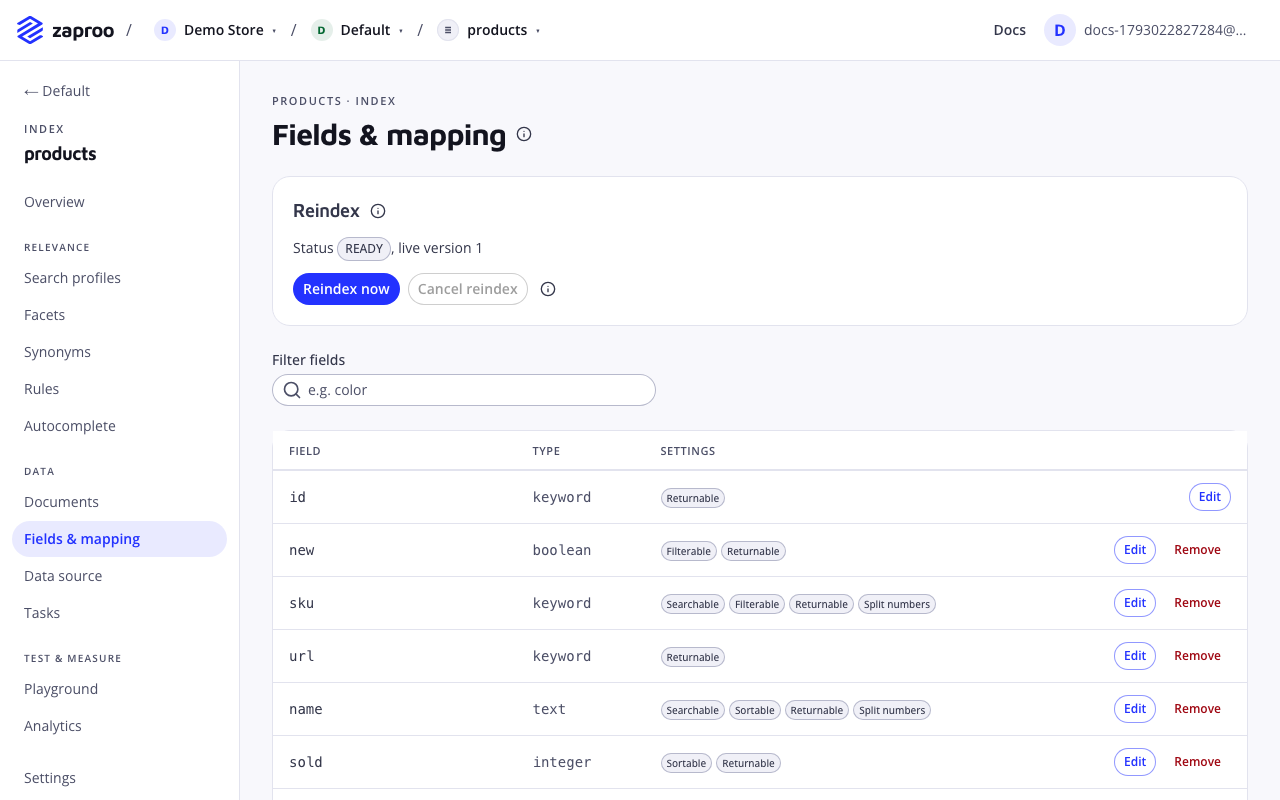
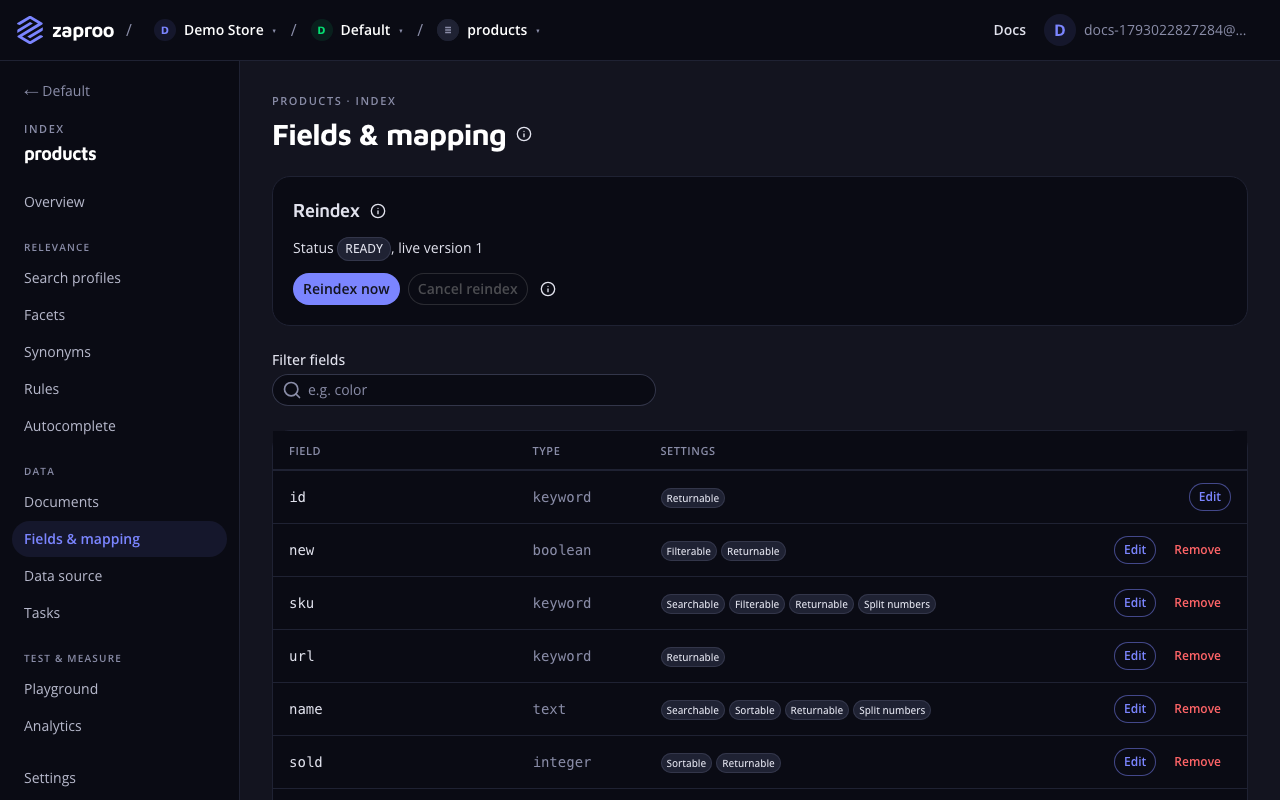
The Fields and mapping page with the reindex panel and a table of fields, each with its type and flag badges such as Searchable, Filterable and ReturnableFields & mapping lists every field with its type and flags

A document may carry fields the mapping does not list. Zaproo stores them, but search ignores them until you map them. See unmapped fields.

In the cabinet, open an index and then Fields & mapping. Edits go into a draft. The Changes panel lists every change and whether it is additive or breaking before you click Save mapping. If the draft would break a profile, rule or facet, the panel shows which ones use each field, and Save mapping stays off until you change them. See Fields in use.

GET/v1/projects/:projectId/indices/:indexId/mappingProject member or any secret keyPUT/v1/projects/:projectId/indices/:indexId/mappingProject admin or a full-access secret key

GET returns language, fields and unmapped. PUT takes language and fields and replaces the whole mapping, so send every field you want to keep. A field left out is removed. The answer holds the saved mapping, the updated index and a diff with kind (none, additive or breaking) and one entry per change.

{
  "language": "english",
  "fields": {
    "id": { "type": "keyword", "filterable": true, "sortable": true },
    "title": { "type": "text", "searchable": true, "sortable": true },
    "brand": { "type": "keyword", "searchable": true, "filterable": true, "facetable": true },
    "price": { "type": "float", "filterable": true, "facetable": true, "sortable": true },
    "categories": { "type": "hierarchy", "filterable": true, "facetable": true },
    "attributes.color": { "type": "keyword", "filterable": true, "facetable": true }
  }
}

A flag left out takes its default: returnable is on, the other four are off. Over MCP, get_mapping and update_mapping do the same.

Field types

A field holds one value or an array of values of its type. null is allowed.

TypeValuesUse it for
keywordA string, matched as a wholeBrands, SKUs, colours, sizes, URLs
textA string, split into wordsTitles and descriptions
integerA whole number from -2147483648 to 2147483647Stock levels, ratings
longA whole numberLarge counters and ids
floatA numberPrices, weights
doubleA numberSame as float
booleantrue or falseIn stock, on sale
dateAn ISO 8601 date (2026-10-16) or date and time with an offset (2026-10-16T09:30:00Z)Release dates
hierarchyA category path such as "TV > OLED > 55 inch"Category trees

A document whose value does not fit the field's type is rejected when you upload it. A hierarchy field may hold several paths, one per category the product is in. Only text, keyword and hierarchy fields can be searchable.

Flags

The cabinet lists them under Used for when you edit a field, with the same labels.

Searchable

searchableType booleanDefault falseValues text, keyword and hierarchy fields

What it does

Search queries match the words in it. A profile can only list searchable fields in its search fields.

Best practices and common mistakes

  • Make titles, brands and SKUs searchable. Leave prices, URLs and internal ids off: their values only add noise to matching.
  • Turning it on for a field that already holds data is a breaking change. Turning it off is additive.

Related

Filterable

filterableType booleanDefault false

What it does

Results can be narrowed to its values, for example brand is Samsung or price is between 100 and 500.

Best practices and common mistakes

  • A text field filters on its whole value, and only on values up to 256 characters. Filter on a keyword field instead.
  • Turning it on is additive when the field is already facetable or sortable, and breaking when none of the three was on.

Facetable

facetableType booleanDefault false

What it does

Shows as a filter panel with counts next to the results. Facets themselves are set on the index or in a profile; this flag allows the field to be used there.

Best practices and common mistakes

  • Facet on fields with a short list of values: brand, colour, size, category. A facet on titles or ids lists thousands of values nobody picks.
  • Like filterable, turning it on is additive only when the field is already filterable or sortable.

Related

Sortable

sortableType booleanDefault false

What it does

Results can be ordered by it, for example price:asc in a profile's sort options.

Best practices and common mistakes

  • Sort by numbers and dates. Sorting by a text field uses its whole value, which is rarely what shoppers expect.
  • Like filterable, turning it on is additive only when the field is already filterable or facetable.

Returnable

returnableType booleanDefault true

What it does

Sent back with each result. A profile can narrow the returned fields further, but only to returnable ones.

Best practices and common mistakes

  • Turn it off for data the storefront does not show, such as purchase prices or internal notes. Fewer fields also make responses smaller.
  • Turning it on or off is always additive.

Text analysis

A searchable field has four more options. The cabinet shows them under Text analysis in the field editor once Searchable is on. In the API they go in the field's analysis object. An option left out takes its default.

Every analysis option changes how stored text is split into words, so changing one on an existing field is breaking and needs a reindex.

Split numbers

analysis.splitNumbersType booleanDefault true

What it does

Also index the letter and digit parts of words like 600x400mm or HP12K, so "600" or "12" find them.

Best practices and common mistakes

  • Keep it on for catalogs with sizes and model numbers in titles.
  • Turn it off for a field of codes where "12" finding every code that contains 12 is noise.

Codes

analysis.normalizeCodesType booleanDefault false

What it does

Match codes however they are typed: "hp12k ne", "HP-12K/NE" and "hp12kne" all find HP12K/NE.

Best practices and common mistakes

  • Turn it on for SKU, part number and model fields. Leave it off for titles and descriptions.

Word pairs

analysis.wordPairsType booleanDefault false

What it does

Rank documents higher when two query words appear next to each other, as in "carton box".

Best practices and common mistakes

  • Use it on titles in catalogs where two-word product names matter. It makes the index larger, so leave it off on long descriptions.

Related

Language

analysis.languageType language codeDefault the index language

What it does

Stemming and stop words for this field when they differ from the index language. Every index language can be picked.

Best practices and common mistakes

  • Use it for a field written in another language than the rest, for example English product names in a Finnish catalog.
  • A field without its own language follows the index language, also when that changes.

Field names

  • A name starts with a letter and holds letters, digits and _, up to 64 characters: brand, price_eur.
  • Put product attributes under attributes: the mapping field attributes.color reads color from the document's attributes object. Only one level is allowed.
  • attributes itself is reserved and cannot be mapped.
  • Every mapping has an id field of type keyword. You cannot remove it or change its type.
  • A mapping holds at most 500 fields.

Other nested objects in a document are stored but never mapped.

Inferred mapping

An index created without fields maps its fields from the first upload. Each field gets a type and flags from its values:

ValuesBecomes
true or falseboolean, filterable and facetable
Numbersfloat, filterable and sortable
ISO 8601 datesdate, filterable and sortable
Strings longer than 64 characters or with more than three wordstext, searchable
Links starting with http://, https:// or /keyword, returnable only
Other stringskeyword, searchable, filterable and facetable
Mixed typesNot mapped

Common product fields keep fixed flags when their values fit: title, shortDescription, description, url, imageUrl, price, currency, brand, categories (as hierarchy), sku and inStock.

Inference runs once. Fields that later uploads bring are not mapped automatically. They appear under unmapped fields.

Review the inferred mapping before you build profiles. Inference cannot tell that color should be a facet but ean should not.

Unmapped fields

GET mapping lists in unmapped every field your documents carry that the mapping lacks, with a sample value, the suggested definition inference would give it (null when its values mix types) and firstSeenAt. Up to 1000 field names are recorded per index.

In the cabinet they appear under Not mapped yet. Add puts the field into the draft with the suggested definition. Edit it if needed, then save.

Documents already uploaded hold values for these fields, and a mapping update does not index stored values. Adding an unmapped field is therefore breaking: save it, then reindex so search covers every document.

Additive and breaking changes

A save compares the new mapping with the live version.

  • Additive changes apply at once, and the index stays READY.
  • Breaking changes are saved, but the live version keeps the previous mapping. The index moves to NEEDS_REINDEX until a reindex builds a version with the new mapping.
ChangeKind
Add a field no document carries yetAdditive
Add a field documents already carryBreaking
Remove a fieldBreaking
Change a field's typeBreaking
Any flag offAdditive
returnable onAdditive
searchable onBreaking
filterable, facetable or sortable on, when one of the three is already onAdditive
filterable, facetable or sortable on, when none of the three is onBreaking
Any text analysis optionBreaking
The index languageBreaking

Search, filters and profiles keep working on the live version while the index waits for a reindex. While a version is being built, a breaking save answers 409 VERSION_BUILDING. Additive saves still work.

Fields in use

A mapping change may not break the search configuration that uses it. Remove a field from the profiles, rules and facets that use it first, then remove it from the mapping. The same holds for a type change or a flag turned off: a profile that filters on price with a range needs price to stay numeric and filterable.

A save is refused with 409 MAPPING_BREAKS_CONFIG when it would make any of these invalid:

details lists every use, so you know what to change:

{
  "error": {
    "code": "MAPPING_BREAKS_CONFIG",
    "message": "This mapping change would break search configuration that uses \"brand\". Remove or change those uses in the profiles, rules, facets, autocomplete or data source listed in details first.",
    "details": [
      { "kind": "facets", "id": null, "name": "Index facets", "path": "facets.0.field", "field": "brand", "message": "\"brand\" is not a mapped field" }
    ]
  }
}

kind is profile, rule, facets, suggest or feed. id is the profile or rule id, and null for the others. path points into that configuration. A use that was already invalid before the change does not block it.

GET/v1/projects/:projectId/indices/:indexId/mapping/usageProject member or any secret key

Returns what the guard checks: profiles, rules (each { id, rule }), facets, suggestFields and feedFields. The cabinet uses it to show the same issues before you save.

Integrations

A shop platform plugin can seed the mapping for you. While the plugin's Manage the index mapping setting is on, the plugin adds each new shop attribute as a field. Once a field is saved, Zaproo owns it: a later sync from the plugin adds only fields the mapping lacks, and never changes or removes a saved field or the index language. In Fields & mapping you can change any field and add new ones, but you can't remove a field. A PUT .../mapping from anyone but the plugin's key that removes a field answers 409 MAPPING_MANAGED_BY_INTEGRATION; exclude the attribute in the plugin, or turn the setting off there, to remove it. A breaking change still marks the index Reindex needed, and the plugin rebuilds the index on its next sync. See Integrations.

Errors

CodeWhen
400 VALIDATION_FAILEDA field name is invalid, id is missing or not keyword, attributes is mapped, there are more than 500 fields, or a flag or option does not fit the type. details names each field.
409 VERSION_BUILDINGA breaking save while a reindex or replace session is running.
409 MAPPING_BREAKS_CONFIGThe change would break a profile, rule, facet, autocomplete field or data source. details lists each use. See Fields in use.
409 MAPPING_MANAGED_BY_INTEGRATIONA shop platform plugin manages the mapping, and the change removes a field. See Integrations.
400 LANGUAGE_UNAVAILABLEA field or the index uses a language the cluster cannot analyse.