Search and relevance

Facets

The filter panels next to the results, the four facet types, index facets and profile facets, and how a shopper's clicks change the counts.

What a facet is

A facet is a filter panel next to the results: the brands with a product count each, price buckets, a price slider or a category tree. Every search response carries the facets of its profile, counted for that search. When the shopper clicks a value, the storefront sends it back as a filter and the next response shows the new results and counts.

A facet needs a field that is marked facetable in the index mapping. A facetable field can also be filtered by requests without further setup.

Index facets and profile facets

The facets usually live on the index, in one ordered list with their labels, limits and buckets. Every search profile shows that list unless it has facets of its own.

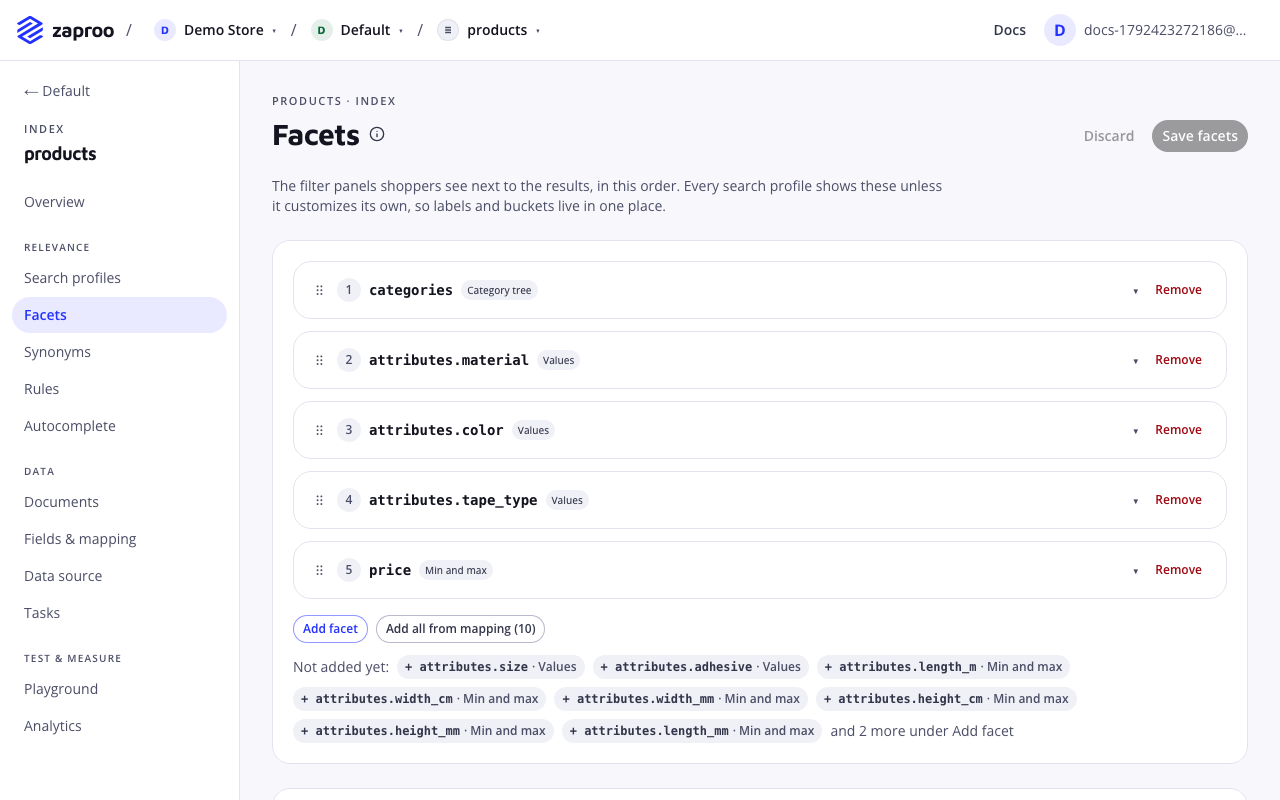
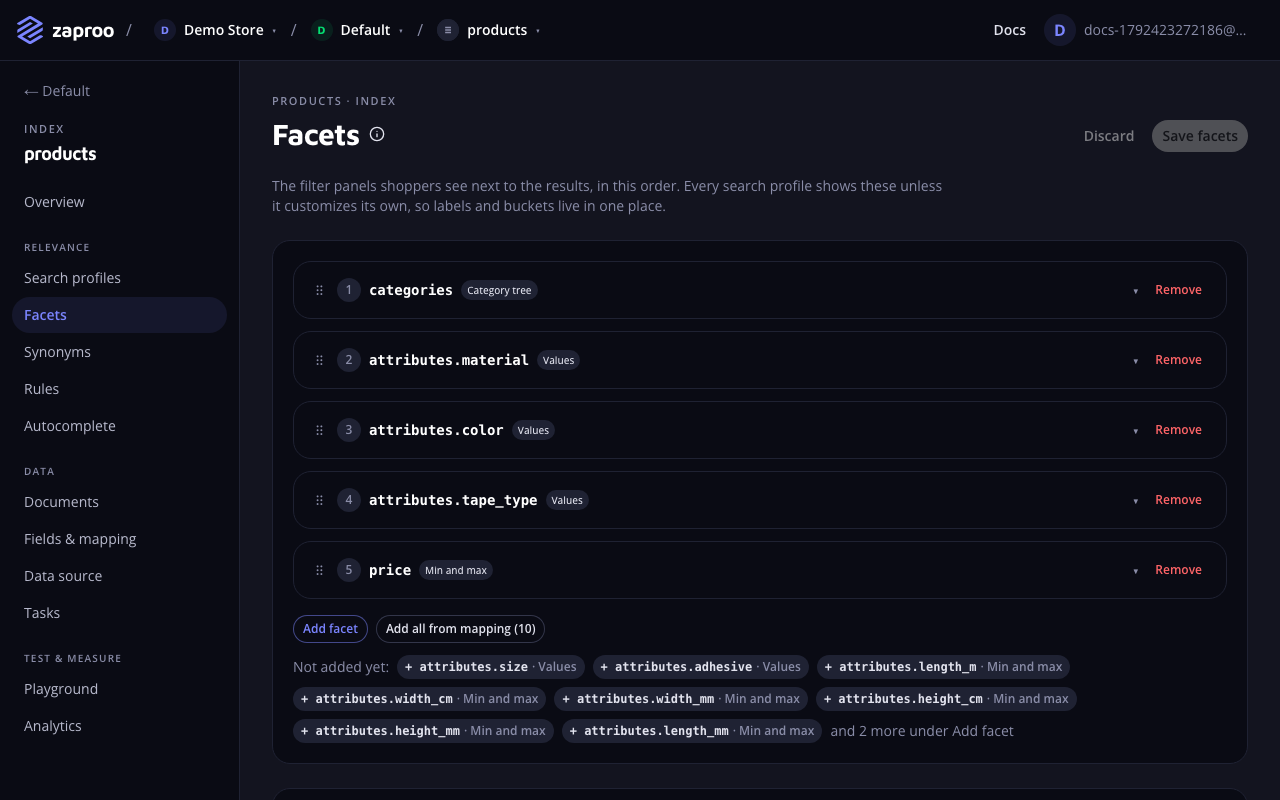
The Facets page with five index facets in order: a category tree, three value facets and a min and max facet for price, and fields not added yet belowThe index facets, in the order shoppers see them

  • A profile that leaves out facets shows the index facets. Change them once and every such profile shows the change on its next search.
  • A profile that sets facets, even to an empty list, shows its own list instead. Changes to the index facets do not reach it.

In the cabinet, open an index and then Facets. Add a facet per field, set its type and label, and drag the facets into the order shoppers see. Where they show lists the profiles that use the index facets and those that have their own. To give one profile its own facets, open the profile and change its Facets block.

GET/v1/projects/:projectId/indices/:indexId/facetsProject member or any secret keyPUT/v1/projects/:projectId/indices/:indexId/facetsProject admin or a full-access secret key

PUT replaces the whole list. A facet on a field that is not facetable, or of a type the field cannot take, answers 400 FACETS_INVALID with one issue per facet.

curl -X PUT https://api.zaproo-search.com/v1/projects/$PROJECT_ID/indices/$INDEX_ID/facets \
  -H "Authorization: Bearer $ZS_KEY" -H "Content-Type: application/json" \
  -d '{"facets": [
    {"type": "hierarchy", "field": "category", "label": "Category"},
    {"type": "terms", "field": "brand", "label": "Brand", "limit": 30},
    {"type": "range", "field": "price", "label": "Price", "ranges": [{"to": 100}, {"from": 100, "to": 500}, {"from": 500}]},
    {"type": "stats", "field": "rating", "label": "Rating"}
  ]}'

An index or a profile holds up to 50 facets.

Facet types

Every facet has a type, a facetable field and an optional label of up to 100 characters. The label comes back in the response, so the storefront can show it above the panel. Without one, the response has label: null.

Values

termsType facetValues any facetable field except hierarchy fields

What it does

The field's values with the number of products for each, such as brands or colors. In the cabinet this type is called Values.

  • limit: how many values the response returns, 1 to 500. Default 20.
  • order: count (most products first, the default) or key (alphabetical).
{ "type": "terms", "field": "brand", "label": "Brand", "limit": 30, "order": "count" }

Best practices and common mistakes

  • Values are counted exactly as stored, so "Samsung" and "samsung" are two values. Clean the data before you upload it.
  • A value outside the limit is not in the response, but a request may still filter on it. Raise the limit when shoppers need to see every brand.

Ranges

rangeType facetValues number fields; 1 to 50 buckets

What it does

Buckets you define, with a product count each. Each bucket has from, to or both: from is included and to is not. Leave out from for "under", and leave out to for "and up". In the cabinet this type is called Ranges.

{ "type": "range", "field": "price", "ranges": [{ "to": 100 }, { "from": 100, "to": 500 }, { "from": 500 }] }

Best practices and common mistakes

  • To select a bucket, filter with exactly its bounds: {"gte": 100, "lt": 500}. The response then marks that bucket selected. Any other range filter still narrows the results but selects no bucket.
  • Every bucket comes back, even those with 0 products, so the panel keeps its shape.

Min and max

statsType facetValues number fields

What it does

The lowest and the highest value in the results, and how many values were counted, for a price slider. In the cabinet this type is called Min and max.

{ "type": "stats", "field": "price", "label": "Price" }

Best practices and common mistakes

  • Send the slider position back as a range filter, such as {"price": {"gte": 120, "lte": 480}}.

Category tree

hierarchyType facetValues hierarchy fields only

What it does

A category tree that opens one level at a time. With nothing selected it shows the top level. When the request filters on the field, it shows the children of the deepest selected node. In the cabinet this type is called Category tree.

  • limit: how many nodes the response returns, 1 to 500. Default 50. Nodes come most products first.
{ "type": "hierarchy", "field": "category", "label": "Category" }

Best practices and common mistakes

  • Store the category as a path with > between the levels: "TV > OLED > 55 inch". A product in several categories takes a list of paths.
  • Facet keys are full paths without spaces, such as TV>OLED. Send a key back unchanged as the filter value: {"category": "TV>OLED"}.
  • A hierarchy field takes only this facet type. A Values facet on it is refused.

How selection works

A request filter on a facet's field marks the matching values selected in the response. Two rules decide the counts.

Values in one facet add up

Values inside one facet combine with OR. A facet's counts ignore the request's filter on that facet's own field, so when a shopper ticks Samsung, the other brands keep their counts and the shopper can add LG as a second choice.

Different facets narrow each other

Filters on different fields combine with AND. Each facet's counts include the filters on every other field. After the shopper picks a price bucket, the brand counts show only products in that price range.

An example with three brands and a price facet:

StepSelectionResultsBrand countsPrice counts
0nothing163Samsung 80, LG 52, Sony 31all 163 products
1brand Samsung80unchanged, Samsung selectedSamsung products
2brand Samsung or LG132unchanged, both selectedSamsung or LG products
3and price 300 and up90within the price filter: 55, 35, 20Samsung or LG, every bucket

Profile filters and exclusions work differently. They narrow the results and every facet count, so a facet never offers a value the profile would never show. Ranking rules that filter results do the same.

Facet results

Each facet in the response has type, field and label, plus:

  • terms: items, each with key, count and selected.
  • range: items, each with key (such as 100-500, or *-100 for an open side), from, to, count and selected.
  • stats: count, min and max. min and max are null when no product has a value.
  • hierarchy: level (0 for the top level), parent (the node whose children these are, or null) and items with full-path keys.
{ "type": "hierarchy", "field": "category", "label": "Category", "level": 1, "parent": "TV",
  "items": [{ "key": "TV>OLED", "count": 41, "selected": false }, { "key": "TV>QLED", "count": 28, "selected": false }] }

Hide empty facets

A profile's hideEmptyFacets setting, on by default, leaves out facets with nothing to pick for the current search: no values, every bucket at 0, or a stats count of 0. A facet the request filters on stays even when it is empty, so the shopper can still see and clear the selection.

Common mistakes

  • A facet shows no values. The field is facetable in the mapping but the documents hold no value for it, or hold a value of another type. Check the field in a few documents.
  • Filtering on a facet field answers FILTER_NOT_ALLOWED. The profile shows its own facets and that field is not among them. Add the facet, or add the field to the profile's extra filterable fields.
  • A range bucket is never selected. The filter used lte or gt. Send gte with the bucket's from and lt with its to.
  • Index facets do not show on a profile. The profile has facets of its own. Where they show on the Facets page lists it under the profiles with their own facets.