Search API
Two ways to search
Every search runs through a search profile. The profile decides which fields a query looks in, the facets, the allowed sorts and what a hit returns. The request only says what the shopper did: the query, the filters, the sort and the page.
There are two routes. They take the same request fields and return the same response.
Public route
POST/v1/search/:profileKeyPublic key from an allowed origin, or a secret keyThis is the route for storefronts. The profile key in the path picks the index and the profile, so the URL holds no project or index id. The route counts against the search rate limit: by default 600 requests a minute per key and 1200 a minute per client IP, then 429 RATE_LIMITED.
curl -X POST https://api.zaproo-search.com/v1/search/$PROFILE_KEY \
  -H "Authorization: Bearer $ZS_KEY" -H "Content-Type: application/json" \
  -d '{"q": "oled tv", "filters": {"brand": ["Samsung", "LG"]}, "sort": "price:asc", "page": 1}'
A public key (zs_pk_…) answers only requests whose Origin header is one of the key's allowed origins, and 403 otherwise. A key limited to some indices answers 404 PROFILE_NOT_FOUND for a profile of any other index.
Browsers on any domain may call this route: the API answers the CORS preflight for every origin, without cookies, and the key's allowed origins decide on the real request.
Project route
POST/v1/projects/:projectId/indices/:indexId/searchProject member or any secret keyThis route is for your back office and for tools. It takes either a stored profile by profileKey in the body, or a whole profile inline (see Inline profile). Send exactly one of the two.
curl -X POST https://api.zaproo-search.com/v1/projects/$PROJECT_ID/indices/$INDEX_ID/search \
  -H "Authorization: Bearer $ZS_KEY" -H "Content-Type: application/json" \
  -d '{"profileKey": "'$PROFILE_KEY'", "q": "oled tv"}'
From an AI agent, the MCP tool search takes the same body plus the indexId.
Request
id. See Returned fields.perPage.default. See Paging.The project route also takes profileKey, profile, rulesFor and explain. The public route takes profile from a secret key only.
Filters
filters maps a field name to one filter. A product must match the filters of every field (AND). Inside one field, a list matches any of its values (OR).
A request may filter only on the profile's facet fields and its extra filterable fields. Any other field answers 400 FILTER_NOT_ALLOWED. A filter that does not fit the field answers 400 INVALID_FILTER, for example a range on a text field.
One value
A string, a number or a boolean. Strings are matched exactly, capital letters included.
{ "filters": { "brand": "Samsung", "inStock": true } }
Any of several values
A list of 1 to 1000 strings or numbers.
{ "filters": { "brand": ["Samsung", "LG"], "size": [55, 65] } }
Range
gte (at least), gt (more than), lte (at most) and lt (less than), at least one of them. Ranges work on number and date fields. Dates are ISO strings.
{ "filters": { "price": { "gte": 300, "lt": 1000 }, "releasedAt": { "gte": "2026-01-01" } } }
Field is set or empty
{"exists": true} keeps products that have a value in the field. {"exists": false} keeps those that have none.
{ "filters": { "salePrice": { "exists": true } } }
Category nodes
On a hierarchy field, a node is written as its path with > between the levels and no spaces: TV>OLED. Spaces around > are allowed and dropped. terms takes 1 to 100 nodes, and a product in any of them, or below them, matches. The optional level (the top level is 0) makes the API check that every node sits at that depth.
{ "filters": { "category": { "terms": ["TV>OLED", "TV>QLED"], "level": 1 } } }
A hierarchy field also takes the plain value and list forms: {"category": "TV>OLED"}. The terms form works on hierarchy fields only.
Filter groups
Next to the field names, filters takes three group keys. Field names cannot contain $, so a group key never clashes with a field.
$or: a list of 2 to 20 filters. A product must match at least one of them.$and: a list of 1 to 20 filters. A product must match all of them.$not: one filter. A product that matches it is left out.
Each filter in a group is written like filters itself: field names ANDed, and groups of its own. This request finds posters that are at least 200 by 200, or at most 400 wide and at least 400 high, and leaves out the Acme posters that are on discount:
{
  "filters": {
    "category": "Posters",
    "$or": [
      { "width": { "gte": 200 }, "height": { "gte": 200 } },
      { "width": { "lte": 400 }, "height": { "gte": 400 } }
    ],
    "$not": { "brand": ["Acme"], "discount": { "exists": true } }
  }
}
A field inside a group follows the same rules as a top-level one: the profile must allow it (400 FILTER_NOT_ALLOWED) and the filter must fit its type (400 INVALID_FILTER). The error's path names the place, for example $or[1].width.
Groups nest up to 4 levels deep, and a request holds at most 100 field filters in all, groups included. A group member cannot be empty. Past these limits, or with an unknown key such as $any, the API answers 400 VALIDATION_FAILED.
Groups and facets. Top-level field filters work as facet selections: a facet's counts leave out the filter on its own field, so the shopper still sees the other values. A group narrows the whole result instead, and every facet counts only the products the group lets through. A facet value shows selected: true only for a top-level filter on its field, never for a field inside a group.
Returned fields
fields trims every hit to the fields listed, plus id. Each field must be one the profile returns, or the API answers 400 FIELD_NOT_RETURNED. Use it when a page or an agent needs a few fields of each hit, such as a quick list of titles and prices.
{ "q": "oled tv", "fields": ["title", "price", "imageUrl"] }
Excluding products
excludeIds leaves the listed documents out of the results, for example the products already in the cart or the one on the current product page. An id that a ranking rule pins is left out too. Unknown ids are ignored.
{ "q": "oled tv", "excludeIds": ["tv-1", "tv-7"] }
Sorting
sort must be one of the profile's sort options, character for character, or the API answers 400 SORT_NOT_ALLOWED. An option is up to 10 clauses joined by commas:
_relevance: best match first.field:ascorfield:descon a sortable field, for exampleprice:asc.
inStock:desc,price:asc sorts in-stock products first and then by price. Products that tie on every field clause come out best match first. The profile's always-show-first clauses lead every sort.
Paging
page starts at 1. perPage can be at most the profile's perPage.max, else 400 PER_PAGE_TOO_LARGE. page × perPage can be at most 10,000, else 400 PAGE_OUT_OF_RANGE. The API never pages past the first 10,000 results.
total counts matching products up to 10,000. A search with more matches answers 10000. Show "10,000+" in the storefront rather than a page count past that.
Highlighting
With "highlight": true and a non-empty q, every hit gets _highlight. It holds, for each query field where the query matched, a list of text fragments with the matching words wrapped in <em> tags.
"_highlight": { "title": ["55 inch <em>OLED</em> <em>TV</em>"] }
The key is the field the query ran on. For a text field that is its name. For a keyword field it is the field's text subfield, such as brand.text.
<em> tags before you insert them into a page as HTML.Session id
sessionId is 1 to 100 letters, digits, - or _, and cannot start with _. Searches with the same session id are served by the same copies of the index, so scores, and with them the order of the results, stay the same from one page to the next. Use your storefront's session or visitor id. The search log stores it with each search.
Inline profile
The cabinet's live preview runs a profile that is not saved yet. You can do the same by sending the whole profile as profile in the body. It must be a complete profile, as POST .../profiles takes it, and it is checked against the mapping first (400 PROFILE_INVALID).
- On the public route, only a secret key may send
profile. A public key gets403 INLINE_PROFILE_FORBIDDEN. The inline profile replaces the stored one for that request. - On the project route, send
profileinstead ofprofileKey. AddrulesForwith a stored profile's id to apply the ranking rules of that profile. Without it, only rules for every profile apply.
curl -X POST https://api.zaproo-search.com/v1/projects/$PROJECT_ID/indices/$INDEX_ID/search \
  -H "Authorization: Bearer $ZS_KEY" -H "Content-Type: application/json" \
  -d '{
    "profile": {"name": "Draft", "queryFields": {"title": 3, "brand": 2}, "match": "any"},
    "rulesFor": "'$PROFILE_ID'",
    "q": "samsung oled"
  }'
Searches with an inline profile are not counted in Analytics. The MCP tool preview_profile runs a draft profile the same way.
Explaining scores
On the project route and in POST .../rules/test, send "explain": true to see why each hit ranks where it does. Every hit then gets _explain, and the response gets sortedBy. The public route never explains. An explained search costs a little more, so leave it off in production.
"_explain": {
  "score": 43.2,
  "matches": [
    { "kind": "query", "text": "oled tv", "boost": 1, "fields": [
      { "field": "title", "weight": 5, "score": 9.6 },
      { "field": "shortDescription", "weight": 2, "score": 3.1 }
    ] },
    { "kind": "phrase", "text": "oled tv", "boost": 2, "fields": [{ "field": "title", "weight": 5, "score": 4.8 }] }
  ],
  "relevance": 14.4,
  "boosts": [{ "rule": { "id": "…", "name": "Sony week" }, "factor": 3 }],
  "multiplier": 3,
  "pin": null
}
matcheslists each part of the query that matched. The kind isquery,synonym(a synonym of the query),code(the query against normalized product codes),phraseorwordPairs. A part searches every query field, but only its best field counts. That field comes first.relevanceis the sum of each match's best field score.boostsare the rule boosts whose filter the hit matches.multiplieris their factors multiplied, at most 100.pinis set when a rule pinned the hit. It holds the rule, the position (1 is the top) and theliftadded to the score.
The score is relevance × multiplier + lift. With an empty q, every hit has a relevance of 1.
sortedBy lists the sort keys in the order they apply, such as ["inStock:desc", "_relevance"]. The score decides only where the keys before _relevance tie.
Response
{
  "items": [
    { "id": "tv-1", "title": "55 inch OLED TV", "brand": "Samsung", "price": 899, "_pinned": true },
    { "id": "tv-7", "title": "65 inch OLED TV", "brand": "LG", "price": 1299 }
  ],
  "total": 2,
  "page": 1,
  "perPage": 24,
  "facets": [
    { "type": "terms", "field": "brand", "label": "Brand", "items": [
      { "key": "Samsung", "count": 1, "selected": true },
      { "key": "LG", "count": 1, "selected": false }
    ] }
  ],
  "correctedQuery": null,
  "tookMs": 12
}
_highlight when asked for and _pinned: true when a ranking rule put it there.type, field, label (null when none is set) and values. See Facets.items are the results for correctedQuery; otherwise items is empty.A hit returns only the fields in the profile's fields list, or the request's fields and id when sent. When you set the profile's list, keep id in it. Without it the hits carry no id, and the storefront cannot link or track the product.
Errors
Errors come as {"error": {"code", "message", "details"}}. The codes a search can answer:
| Status | Code | Why |
|---|---|---|
| 400 | FILTER_NOT_ALLOWED | The profile does not allow filtering on that field. |
| 400 | INVALID_FILTER | The field is not mapped, or the filter does not fit its type. |
| 400 | FIELD_NOT_RETURNED | A name in fields is not one the profile returns. |
| 400 | SORT_NOT_ALLOWED | sort is not one of the profile's sort options. |
| 400 | PER_PAGE_TOO_LARGE | perPage is above the profile's maximum. |
| 400 | PAGE_OUT_OF_RANGE | page × perPage is above 10,000. |
| 400 | PROFILE_INVALID | The inline profile does not fit the mapping. |
| 401 | UNAUTHENTICATED | No key, or an unknown, revoked or expired one. |
| 403 | INLINE_PROFILE_FORBIDDEN | A public key sent an inline profile. |
| 404 | PROFILE_NOT_FOUND | No such profile for this key's project and indices. |
| 429 | RATE_LIMITED | Too many searches in the last minute. |
Try it in the playground
In the cabinet, open an index and then Playground. Pick a profile, type a search, choose a sort, and click facet values to filter. Advanced filters (JSON) takes any filters object, groups included, and shows the first problem under the field while the JSON is not valid. The results show as product cards; Card fields picks which field fills the title, the image and the price. The playground calls the project route with the profile's key, so its searches count in Analytics like storefront traffic.
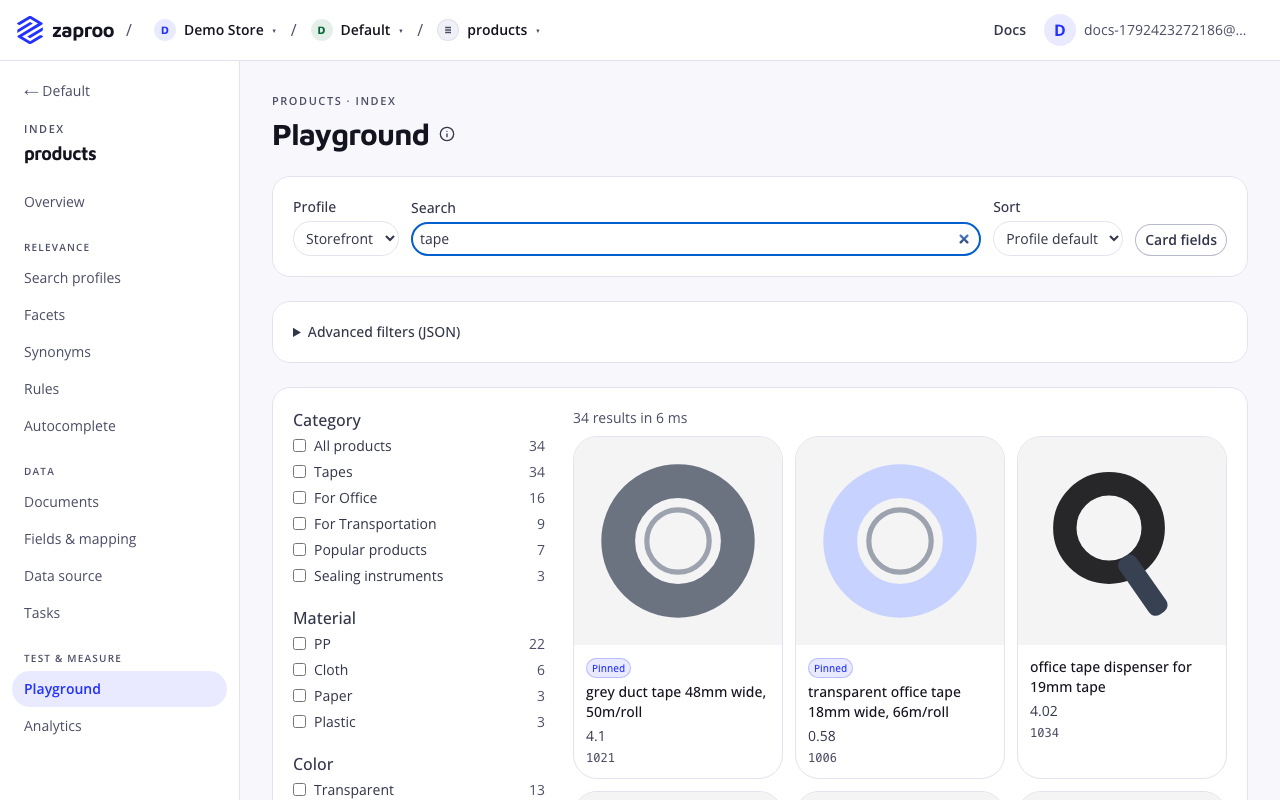
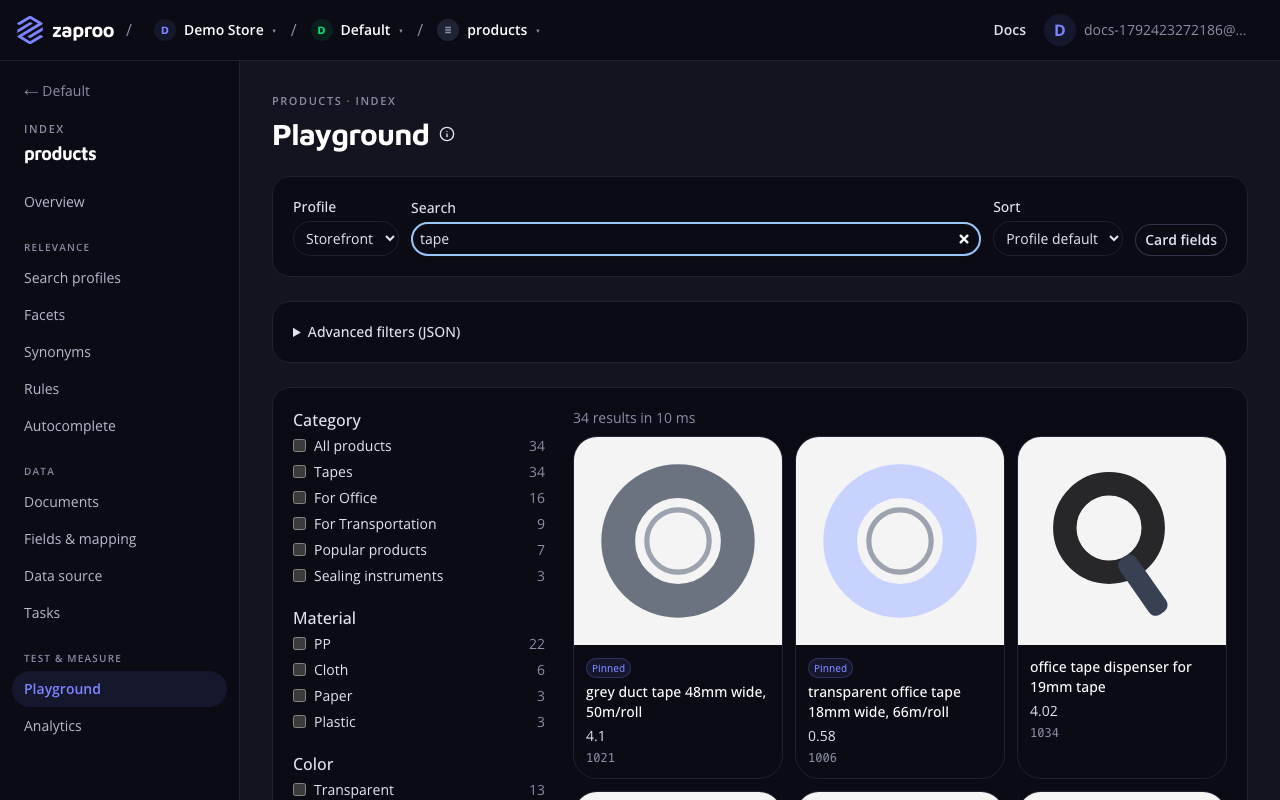 The playground searches with a profile, as the storefront does