API keys and security

API keys

Secret and public keys, full and read access, index scope, allowed origins, expiry, and how to revoke a key.

What a key is

An API key lets a program call the API without your password. Every key belongs to one project and acts only on that project's indices. Send it as a bearer token:

curl https://api.zaproo-search.com/v1/projects/$PROJECT_ID/indices -H "Authorization: Bearer zs_sk_..."

There are two kinds of keys:

  • A secret key (zs_sk_…) is for your servers, scripts and AI agents. It can call every project route its access allows, the search and suggest routes, and the MCP server.
  • A public key (zs_pk_…) is meant for browsers. It can only call POST /v1/search/<profileKey> and POST /v1/suggest/<suggestKey> for the project's indices, and only from the web origins you list.

The browser sends the page's Origin header with every call. A public key used from a server has none and gets 403 ORIGIN_NOT_ALLOWED, so servers use a secret key with read access, limited to the index. See Integrate a storefront.

Create a key

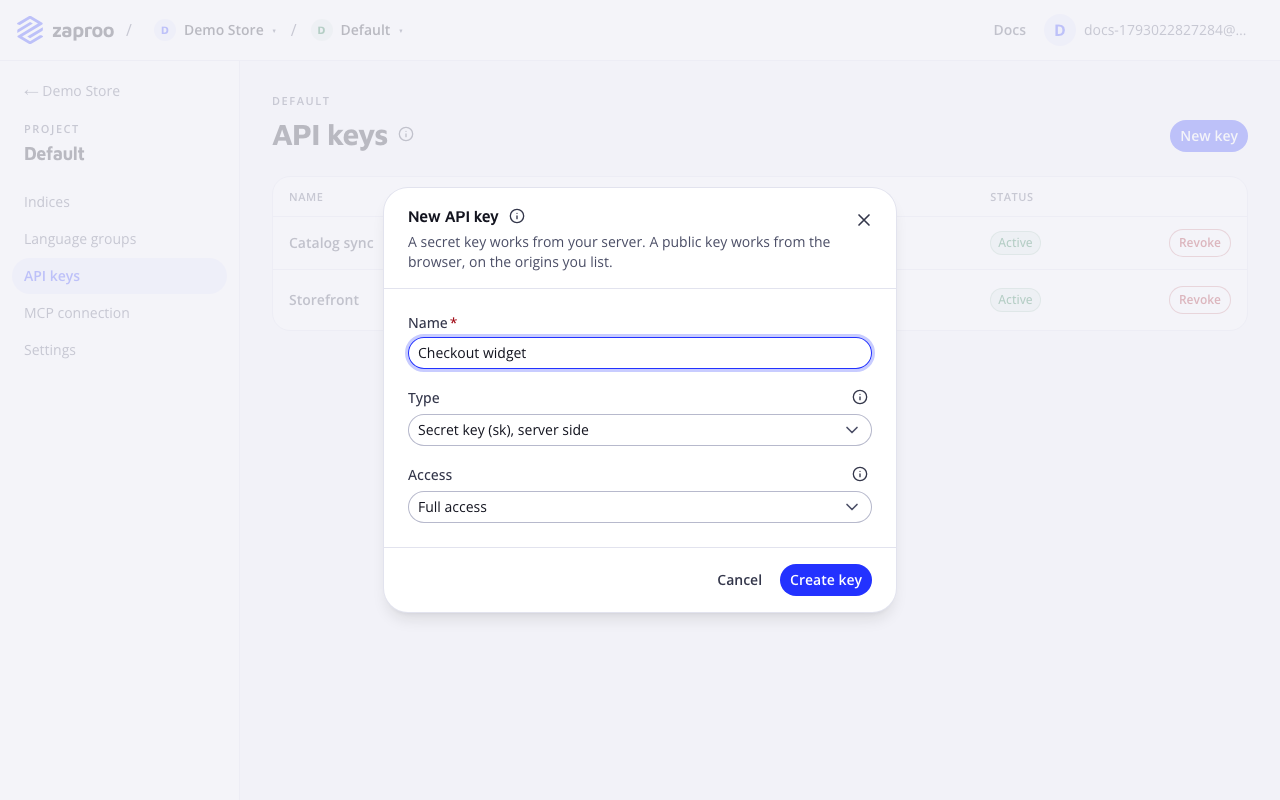
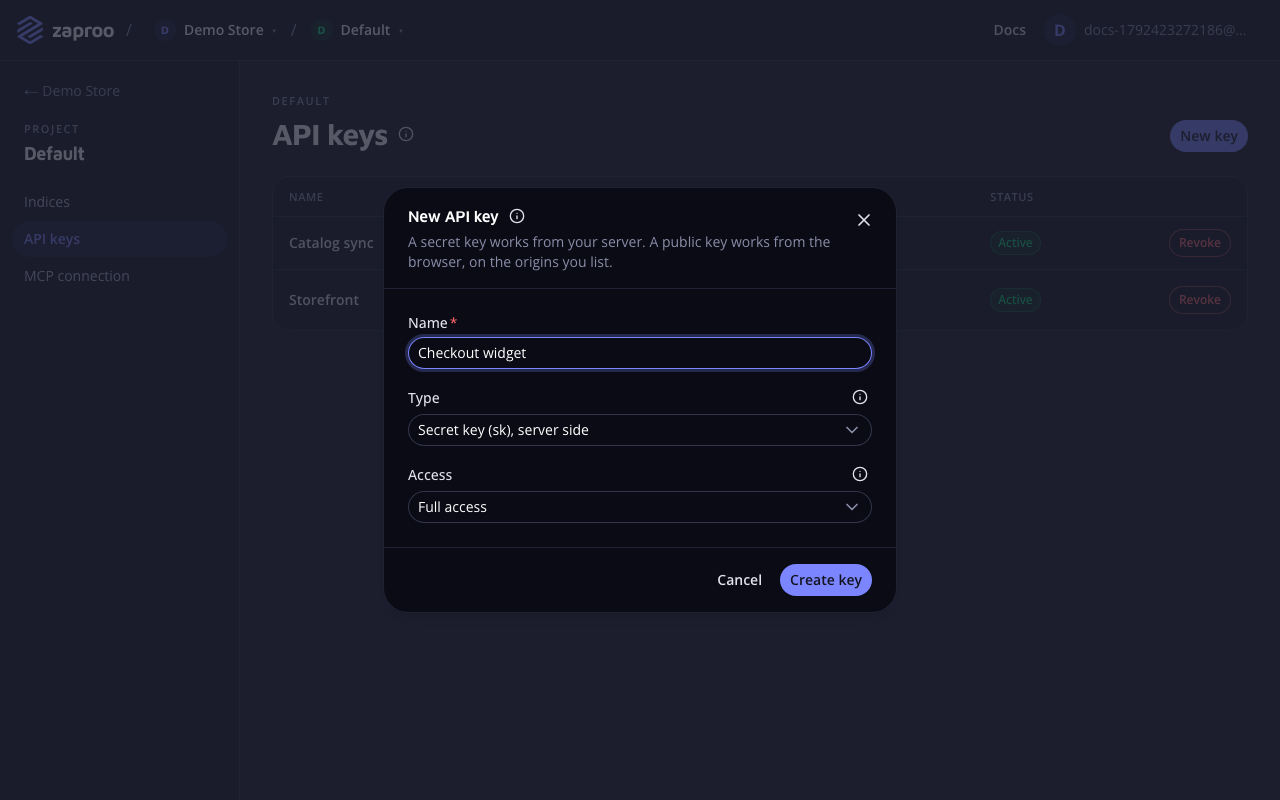
In the cabinet, open the project's API keys page. Click New key. In the dialog, enter a name, pick the type and the access, list the allowed origins for a public key, and click Create key.

The API keys page with a secret full-access key and a public read key, behind the New API key form with a name, a type and an access selectThe API keys page

Creating keys needs the admin or owner role and a verified email. Until then New key stays off and the page says why. Only a signed-in person can create keys. A key cannot create other keys.

POST/v1/projects/:projectId/api-keysAdmin or owner with a verified email, not while support is acting as you
curl -X POST https://api.zaproo-search.com/v1/projects/$PROJECT_ID/api-keys \
  -H "Authorization: Bearer $ACCESS_TOKEN" -H "Content-Type: application/json" \
  -d '{"name": "Storefront server", "kind": "SECRET", "access": "READ", "indexScope": ["'$INDEX_ID'"]}'

The cabinet form sets the name, type, access and allowed origins. Index scope and expiry are set through the API only.

Key settings

Key name

nameType stringValues 1 to 100 characters

What it does

What the key is for. The name shows in the key list, next to the key's prefix.

Best practices and common mistakes

  • Name a key after the program that uses it ("Storefront server", "Nightly catalog import"). When you need to revoke one, you know which program stops working.
  • Create one key per program. Sharing a key means revoking it breaks every program at once.

Key type

kindType SECRET | PUBLIC

What it does

SECRET creates a zs_sk_ key for servers. PUBLIC creates a zs_pk_ key for browsers that can only search and suggest. The type cannot change later. Create a new key instead.

Best practices and common mistakes

  • Never put a secret key in frontend code, a mobile app or a public repository. Anyone who reads it can act on your project with its access.
  • A public key sent to any route other than search and suggest is refused.

Related

Access

accessType FULL | READDefault FULL

What it does

FULL can read and change everything in the project: indices, mappings, documents, profiles, synonyms, rules and autocomplete. READ can read all of that and search, but changes nothing. A public key always has READ, whatever you send.

Best practices and common mistakes

  • Give a server that only searches a READ key. If the key leaks, nobody can delete your indices with it.
  • Give your catalog import and your AI agent a FULL key. An agent with a READ key can call only the read tools.
  • A READ key on a write route answers 403 FORBIDDEN.

Related

Index scope

indexScopeType index id listDefault [] (every index)Values up to 100 index ids

What it does

Limits the key to the listed indices of the project. An empty list means every index, including indices created later. To the key, an index outside its scope does not exist. Its routes answer 404 INDEX_NOT_FOUND, it is missing from the index list, and its tasks are missing from the task list. Search and suggest with a profile or suggest key of such an index answer 404 too.

Best practices and common mistakes

  • Scope the key of a storefront server to the one index it searches.
  • A scoped key cannot create indices. It answers 403 INDEX_SCOPED_KEY, because the key could not see the new index.

Allowed origins

allowedOriginsType origin listValues up to 50; required for a public key

What it does

The web origins a public key works from. On every request with a public key, the API compares the request's Origin header with this list. A request whose origin is not on the list, or that has no Origin header, answers 403 ORIGIN_NOT_ALLOWED. A secret key ignores the list.

Write each origin as scheme://host or scheme://host:port, in lower case, with no path and no trailing slash. In the cabinet's Create API key form you may type just the domain, shop.example.com or *.shop.example.com, and it is saved as its https:// origin in lower case. Type http:// origins, such as http://localhost:3000, in full:

EntryMatchesDoes not match
https://shop.example.comhttps://shop.example.comhttps://www.shop.example.com, http://shop.example.com
https://*.shop.example.comhttps://www.shop.example.com, https://eu.m.shop.example.comhttps://shop.example.com
http://localhost:3000http://localhost:3000http://localhost:3001

In the cabinet, enter one origin per line.

Best practices and common mistakes

  • A wildcard covers subdomains only. To allow https://shop.example.com and its subdomains, list both https://shop.example.com and https://*.shop.example.com.
  • The scheme and the port must match. List http://localhost:3000 separately for local development, and keep it off production keys.
  • Allowed origins are not a secret. Anyone can send any Origin header from a script, so they stop other websites, not scripts.

Expiry

expiresAtType ISO 8601 date-timeDefault none (never expires)

What it does

The moment the key stops working. After it, every request with the key answers 401 API_KEY_EXPIRED. Leave it out for a key that never expires.

{ "name": "Agency access", "kind": "SECRET", "access": "READ", "expiresAt": "2026-12-31T23:59:59Z" }

Best practices and common mistakes

  • Give a temporary key to an agency or a contractor with an expiry date, so access ends on its own.
  • An expired key stays in the list, and you cannot extend it. Create a new key.

The key is shown once

The answer to a create request is the only time the full key appears. The cabinet shows it in a box with Copy key. Copy it into your secret store before you click I have saved it. Zaproo stores only a hash of the key and its first 14 characters, the prefix you see in the list, for example zs_sk_Ab3dE9xQ….

If you lose a key, revoke it and create a new one.

List keys

GET/v1/projects/:projectId/api-keysAny member of the organization

The list shows each key's name, prefix, type, access, allowed origins and status. Through the API, each key also has its indexScope, expiresAt, revokedAt, createdAt and lastUsedAt. lastUsedAt is updated about once a minute, not on every request.

Revoke a key

Click Revoke in the key's row. The key stops working at once. The very next request with it answers 401 API_KEY_REVOKED. A revoked key stays in the list with the status Revoked, and it cannot be turned back on.

DELETE/v1/projects/:projectId/api-keys/:keyIdAdmin or owner of the organization

Revoking a key that is already revoked answers 204 again and changes nothing.

Replace a key without downtime

  1. Create a new key with the same settings.
  2. Put the new key into your program and deploy it.
  3. Check that the old key's lastUsedAt stopped moving, then revoke the old key.

Common mistakes

  • Calling project routes with a public key. A public key only searches and suggests. Use a secret key for everything else.
  • Testing a public key with curl and no Origin header. The API answers 403 ORIGIN_NOT_ALLOWED. Add -H "Origin: https://shop.example.com" with one of the key's origins.
  • Writing origins with a path or a trailing slash. https://shop.example.com/ and https://shop.example.com/search are refused with 400 VALIDATION_FAILED. Write https://shop.example.com.
  • Keeping a key after the person who set it up left. Keys belong to the project, not to a person. Revoke the keys that person knew.